■ Sonatype의 Nexus
- sonatype은 오픈소스 소프트웨어 사용을 관리하고 보호하는 솔루션을 제공하는 소프트웨어 공급망 관리 기업
- nexus는 오픈소스 관련 보안 취약점, 라이선스 위반, 악성코드 탐지 기능을 제공하는 솔루션입니다
- nexus repository는 다중 저장소를 지원하며, 빌드 시간을 단축하고 컴포넌트의 생명주기를 관리하는 데 사용됩니다.
■ Sonatype Nexus Repository 라이선스
- Sonatype Nexus Repository OSS (무료 버전): GPL 2.0 라이선스를 사용. 이를 기반으로 다른 소프트웨어를 개발하고 배포할 경우 해당 소프트웨어 전체의 소스 코드를 공개 필요.
- Sonatype Nexus Repository Manager Pro (유료 버전): 유료 버전은 상용 라이선스. 소스 코드 공개 의무가 없음
■ Sonatype Nexus Repository 참고문서
- 설치파일 : https://help.sonatype.com/en/download.html
- 설치문서 : https://help.sonatype.com/en/install-nexus-repository.html
■ 윈도우11 환경 설치
# step01. 파일 다운로드
c:\>wget https://download.sonatype.com/nexus/3/nexus-3.84.1-01-win-x86_64.zip
# step02. 윈도우 내장 tar 명령어로 압축 해제
c:\>tar -xf nexus-3.84.1-01-win-x86_64.zip
# step03. nexus 디렉토리 생성 및 압축 해제 파일 이동
c:\>mkdir C:\nexus

c:\>move nexus-3.83.2-01 c:\nexus\
c:\>move sonatype-work c:\nexus\
# step04. 설치 install-nexus-service.bat 파일 실행
c:\nexus>.\bin\install-nexus-service.bat

Installing Nexus Repository 3.83.2-01 as a Windows service named 'SonatypeNexusRepository'
...Using JAVA_HOME: c:\nexus\nexus-3.83.2-01\jdk\temurin_17.0.13_11_windows_x86_64\jdk-17.0.13+11
...Using Java Heap Settings: -Xms2703 -Xmx2703
...Using Nexus data directory: c:\nexus\sonatype-work\nexus3
Do you want to proceed with these values? [Y/n]: y
Service SonatypeNexusRepository is already installed. Stopping, then removing it first...
Existing service removed successfully.
[2025-09-19 14:19:14] [info]  ( prunsrv.c:2084) [ 2084] Apache Commons Daemon procrun (1.4.1.0 64-bit) started.
[2025-09-19 14:19:14] [debug] ( prunsrv.c:774 ) [ 2084] Installing service...
[2025-09-19 14:19:14] [info]  ( prunsrv.c:831 ) [ 2084] Installing service 'SonatypeNexusRepository' name 'Sonatype Nexus Repository'.
[2025-09-19 14:19:14] [debug] ( prunsrv.c:860 ) [ 2084] Setting service description 'Sonatype Nexus Repository'.
[2025-09-19 14:19:14] [debug] ( prunsrv.c:865 ) [ 2084] Setting service user 'LocalSystem'.
[2025-09-19 14:19:14] [info]  ( prunsrv.c:882 ) [ 2084] Service 'SonatypeNexusRepository' installed.
[2025-09-19 14:19:14] [info]  ( prunsrv.c:2190) [ 2084] Apache Commons Daemon procrun finished.


c:\nexus>cd .\nexus-3.83.2-01
c:\nexus\nexus-3.83.2-01>.\bin\nexus.exe //ES//SonatypeNexusRepository

[2025-09-19 14:19:41] [info]  ( prunsrv.c:2084) [ 5448] Apache Commons Daemon procrun (1.4.1.0 64-bit) started.
[2025-09-19 14:19:41] [info]  ( prunsrv.c:985 ) [ 5448] Starting service 'SonatypeNexusRepository'...
[2025-09-19 14:19:43] [debug] ( service.c:575 ) [ 5448] apxServiceControl(): Sleeping 1000 milliseconds
[2025-09-19 14:19:44] [debug] ( service.c:579 ) [ 5448] apxServiceControl(): QueryServiceStatus OK
[2025-09-19 14:19:44] [info]  ( prunsrv.c:1003) [ 5448] Started service 'SonatypeNexusRepository'.
[2025-09-19 14:19:44] [info]  ( prunsrv.c:1014) [ 5448] Finished starting service 'SonatypeNexusRepository', returning 1.
[2025-09-19 14:19:44] [info]  ( prunsrv.c:2190) [ 5448] Apache Commons Daemon procrun finished.
명령어 예.
시작 : Start the service: .\nexus.exe //ES//SonatypeNexusRepository
종료 : Stop the service: .\nexus.exe //SS//SonatypeNexusRepository
삭제 : Uninstall the service: .\nexus.exe //DS//SonatypeNexusRepository
# step05. 서비스 실행 확인
c:\nexus\nexus-3.83.2-01>netstat -ano | findstr 8081

  TCP    0.0.0.0:8081           0.0.0.0:0              LISTENING       19404
  TCP    [::]:8081              [::]:0                 LISTENING       19404

c:\nexus\nexus-3.83.2-01>sc query SonatypeNexusRepository

SERVICE_NAME: SonatypeNexusRepository
        종류               : 10  WIN32_OWN_PROCESS
        상태               : 4  RUNNING
                                (STOPPABLE, NOT_PAUSABLE, ACCEPTS_SHUTDOWN)
        WIN32_EXIT_CODE    : 0  (0x0)
        SERVICE_EXIT_CODE  : 0  (0x0)
        검사점             : 0x0
        WAIT_HINT          : 0x0
명령어 예.
서비스 시작 : nexus.exe start SonatypeNexusRepository
서비스 종료 : nexus.exe stop SonatypeNexusRepository
# step06. nexus 포털 접속 및 admin 비밀번호 확인/수정
c:\nexus>type c:\nexus\sonatype-work\nexus3\admin.password

2c5702ab-d043-455b-8a32-ce002ae28cc7

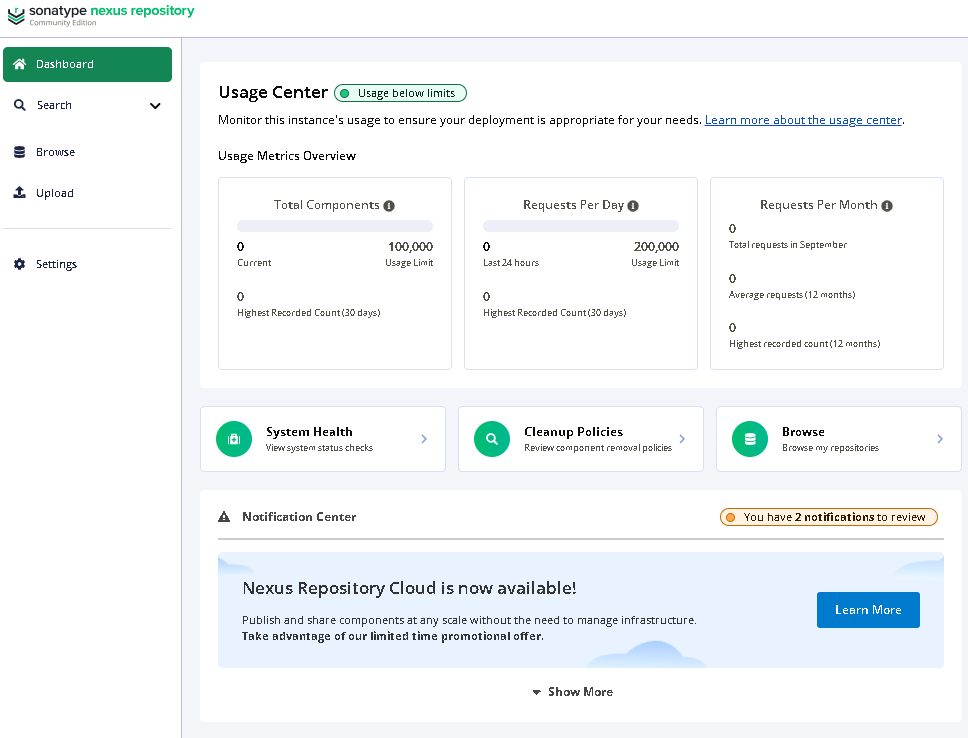
c:\nexus>start http://localhost:8081
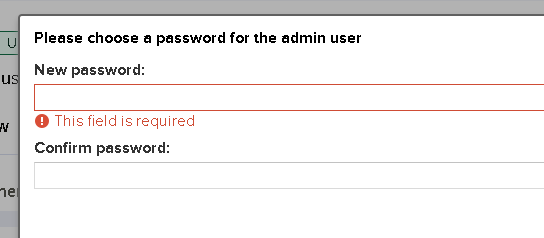
admin 계정으로 로그인 시도 시, 위에서 확인 한 초기 비번 "2c5702ab-d043-455b-8a32-ce002ae28cc7" 입력 후, 다른 비번으로 변경
# step-ADD. nexus repository 메모리 설정
c:\nexus>start notepad .\nexus-3.83.2-01\bin\nexus.vmoptions
---------------------------CHANGE------------------------
-Xms1024m
-Xmx4096m
---------------------------CHANGE------------------------END'Windows > Win11' 카테고리의 다른 글
| IP정보로 PC 팝업창으로 메세지 보내기 (0) | 2026.01.05 |
|---|---|
| 윈도우11 라이선스 확인 방법 (0) | 2025.12.19 |
| [Sonartype/Nexus] 넥서스 저장소 admin 계정 비번 초기화 (0) | 2025.09.24 |